
Prerequisites for ZK Verified Tasks
Before you can start earning with zk verified tasks, you need a digital identity that can cryptographically prove your eligibility without exposing your personal data. This isn't just about creating an account; it's about setting up a verifiable credential system.
The first step is choosing a compatible wallet or identity provider that supports zero-knowledge proof generation. Not all wallets are created equal, and using an incompatible one will prevent you from generating valid proofs. Look for providers that are listed as "Verified Verifiers" by trusted organizations like ZKProof. This ensures the cryptographic tools you use are correct and secure. Without this foundation, your proofs will be invalid, and you won't be able to complete tasks.
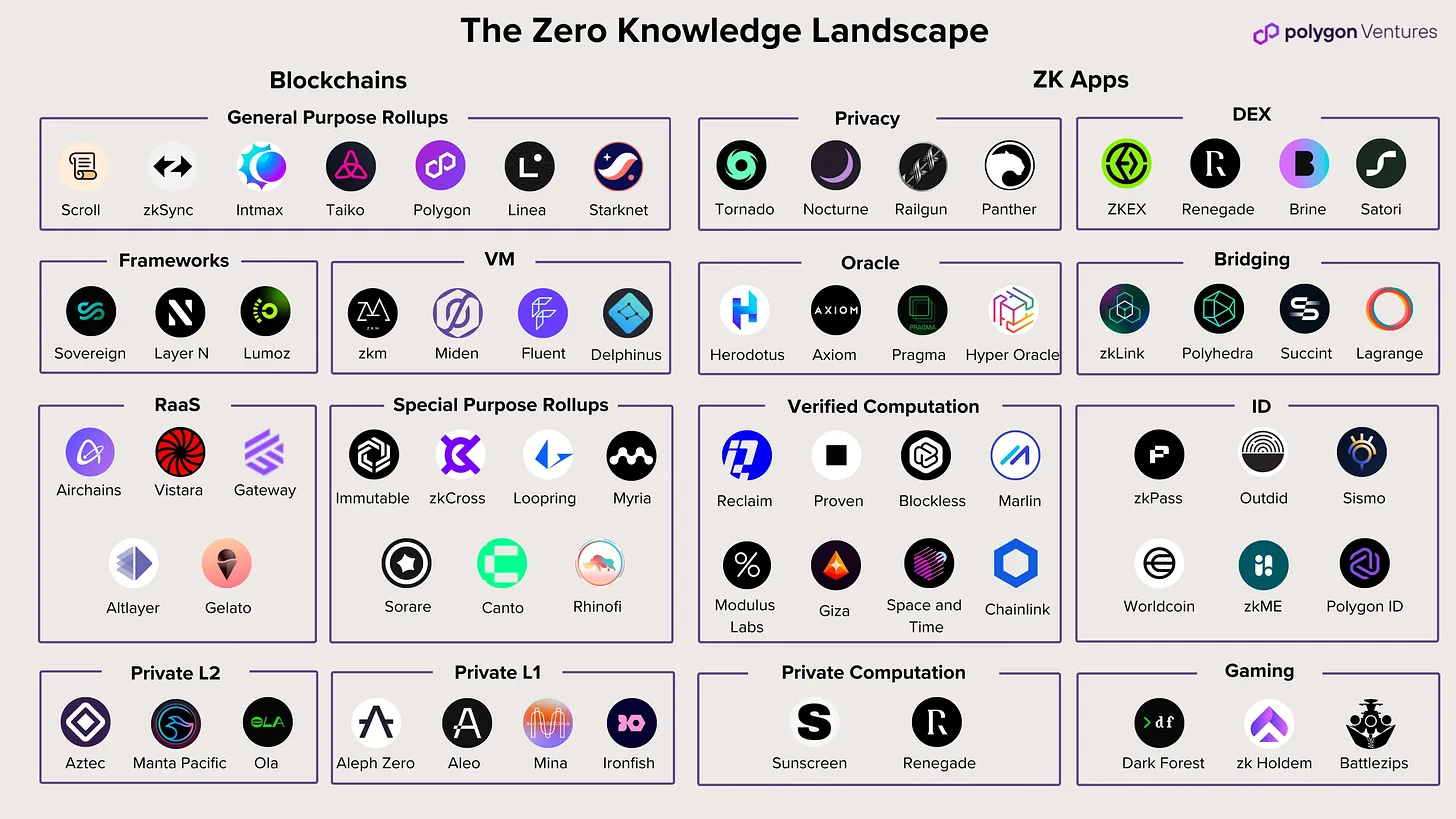
You also need to understand the specific requirements of the tasks you want to perform. Some tasks may require proof of residency, others might need proof of skill level, and some may demand proof of device integrity. Each of these requires a different type of zero-knowledge proof. Familiarize yourself with the common proof types, such as zk-SNARKs or zk-STARKs, and how they apply to different verification scenarios. This knowledge will help you choose the right tools and avoid unnecessary delays.
Finally, ensure your device and software environment are up to date. Zero-knowledge proof generation can be computationally intensive, and outdated software may lead to errors or failed proofs. Regularly update your operating system, browser, and any relevant applications. This simple step can prevent many common issues and ensure a smoother experience as you begin your journey with zk verified tasks.
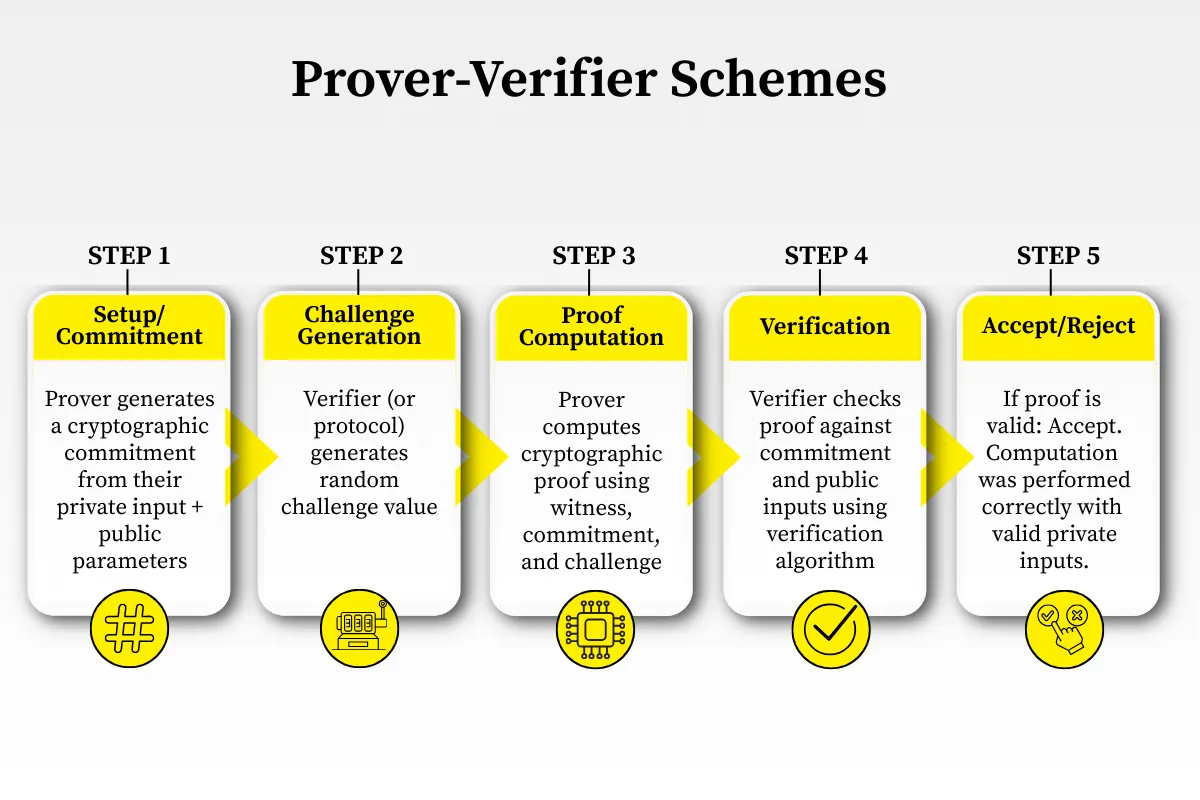
How to complete a ZK verified task
Zero-knowledge verified tasks let you prove eligibility or completion without exposing raw data. The workflow follows a strict sequence: generate a proof, submit it to a verifier, and receive a credential or reward. Because the cryptography is complex, small mistakes in setup can break the entire process.
1. Set up your digital identity
Before you can prove anything, you need a wallet or identity provider that supports zero-knowledge circuits. This is your cryptographic keychain. Most platforms require a compatible wallet like MetaMask or a dedicated ZK identity app.
- Install a Web3 wallet that supports EVM chains.
- Connect to the specific ZK-verified tasks platform.
- Generate a new identity key pair. This key will sign your proofs.
2. Define the claim to prove
Identify exactly what you need to verify. Are you proving you are over 18? That you own a specific NFT? Or that you completed a task on another platform? The claim dictates which circuit (code) you must use.
- Select the proof type from the platform dashboard.
- Upload or link the source data (e.g., a document hash, wallet balance).
- Ensure the data matches the circuit's requirements exactly.
3. Generate the zero-knowledge proof
This is the heavy lifting. Your device or a cloud prover runs the circuit to create a cryptographic proof. This proof mathematically confirms your claim is true without revealing the underlying data.
- Click "Generate Proof" in the interface.
- Wait for the computation to finish. This can take seconds to minutes depending on complexity.
- Save the generated proof file (usually a JSON or binary blob).
4. Submit the proof to the verifier
The verifier is a smart contract or on-chain service that checks the proof. It does not look at your data; it only checks the mathematical validity of the proof against the circuit's public parameters.
- Connect your wallet to the verification portal.
- Upload the proof file or paste the proof hash.
- Confirm the transaction in your wallet. Pay any required gas fees.
5. Receive your credential or reward
Once the verifier accepts the proof, it emits an event on the blockchain. This triggers the release of your credential, token, or task completion status. The platform now knows you are eligible without knowing who you are.
- Check your wallet or profile for the new credential NFT or token.
- Verify the status on the platform's dashboard.
- Use the credential to access gated content or claim rewards.
Run the circuit locally or via a prover service. This creates the cryptographic evidence that your data is valid without exposing the data itself.
Send the proof to the smart contract. The contract checks the math, not the content, ensuring privacy while confirming validity.
The verifier emits an event. Your wallet receives the credential or reward, completing the cycle.
| Feature | ZK-Rollup | Optimistic Rollup |
|---|---|---|
| Verification Method | Zero-knowledge proof | Fraud proof (challenge period) |
| Finality Speed | Instant | 1-7 days (challenge window) |
| Privacy | High (data hidden) | Low (data visible on-chain) |
| Gas Cost | Higher (computation) | Lower (storage only) |
-
Verify wallet compatibility with ZK circuits
-
Check gas fees for proof submission
-
Ensure source data matches circuit requirements
-
Save proof file before submitting
-
Confirm credential receipt on-chain
The key to success in ZK verified tasks is precision. One wrong input can invalidate the entire proof. Start with simple tasks to understand the workflow before tackling complex identity verifications. As the ecosystem matures, tools will become more user-friendly, but the core principle remains: prove you are right, without showing your work.
Troubleshooting common ZK task errors
When a ZK verified task fails, the issue usually lies in one of three areas: incompatible wallet configuration, proof generation errors, or submission failures. Start by verifying that your wallet supports the specific EVM chain required by the task platform. If the wallet connection drops during proof generation, the signature may be invalid.
If proof generation hangs or fails, check your computational resources. Local provers require significant CPU and RAM; cloud provers may fail if the source data is malformed. Ensure your source data (e.g., document hash, wallet balance) exactly matches the circuit's expected input format. A single character mismatch in a hash will cause the proof to be mathematically invalid.
For submission errors, verify that you have sufficient gas for the transaction. Some platforms require a small deposit or gas fee to submit the proof to the verifier contract. If the transaction reverts, check the error message in your wallet. Common errors include "proof expired" (if the proof has a validity period) or "invalid proof" (if the circuit parameters have changed).
No comments yet. Be the first to share your thoughts!