
What are ZK verified tasks
Remote work has broken traditional trust. Managers can’t see screens, and clients can’t watch code being written. The result is a reliance on invasive surveillance or vague deliverables that leave everyone guessing about actual effort and quality. ZK verified tasks solve this by shifting the focus from monitoring behavior to verifying outcomes.
A ZK verified task uses zero-knowledge proofs to confirm that work meets specific criteria without exposing the underlying data. Imagine a contractor proving they completed a complex calculation without revealing the proprietary algorithm or sensitive client data used to get there. The system accepts the proof as valid, ensuring integrity while keeping the actual work private.
The technology works like a sealed envelope. You can prove the envelope contains the correct answer without opening it to see the contents. For remote teams, this means you can verify that a task was completed correctly and on time, without needing to monitor every keystroke or share sensitive internal documents. This builds trust through mathematical certainty rather than constant oversight.
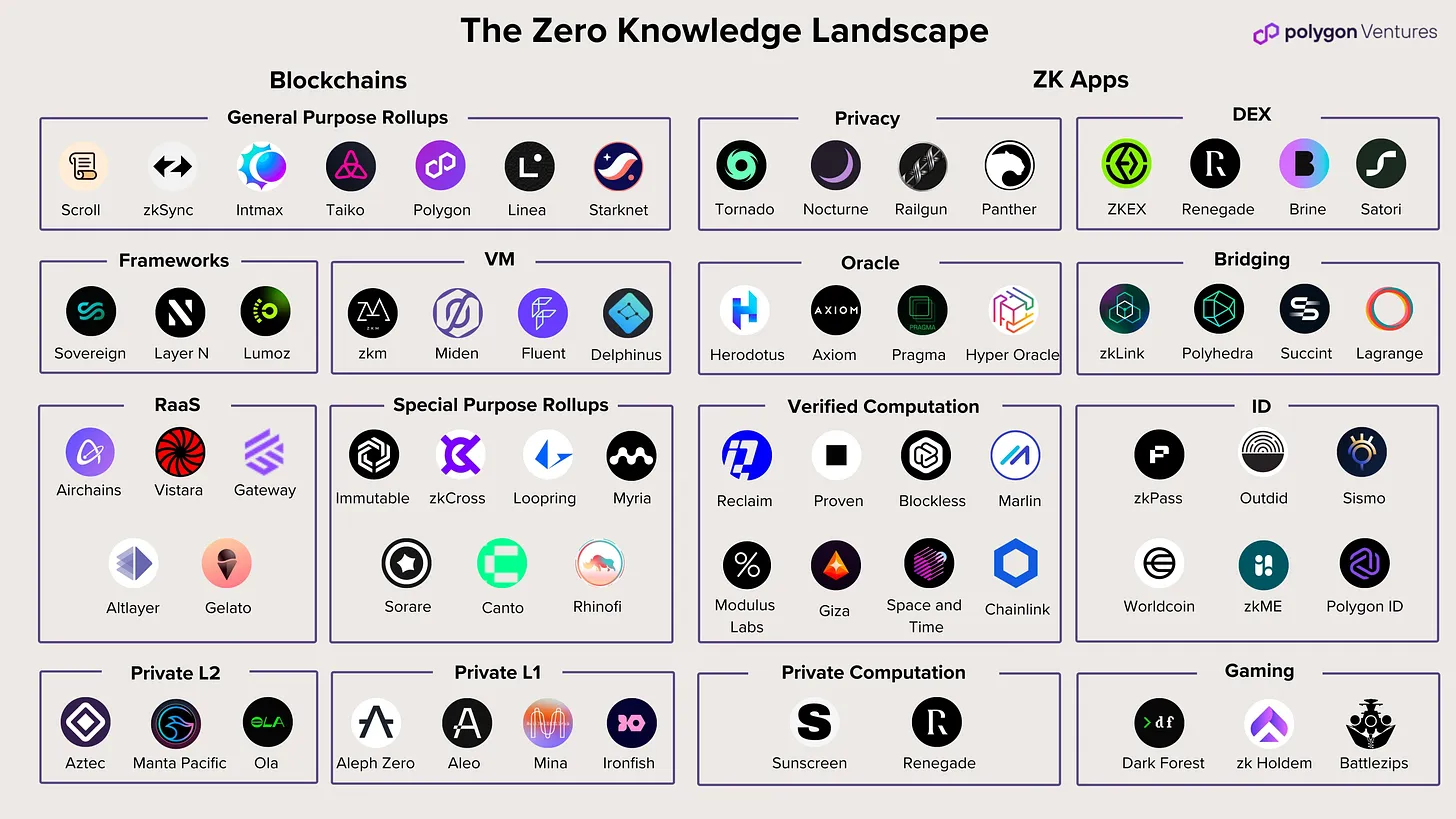
How ZK verified tasks work
Remote work often suffers from a trust deficit. Managers worry about productivity, while employees resent the surveillance required to prove they are working. ZK verified tasks solve this by separating the proof of work from the work itself. You do not need to share your screen, logs, or code to demonstrate that a job was done correctly.
The system relies on two parties: the prover (the worker) and the verifier (the client). The prover generates a cryptographic proof that a specific task was completed according to the rules. The verifier checks this proof instantly. This process ensures integrity without exposing sensitive data or personal habits.
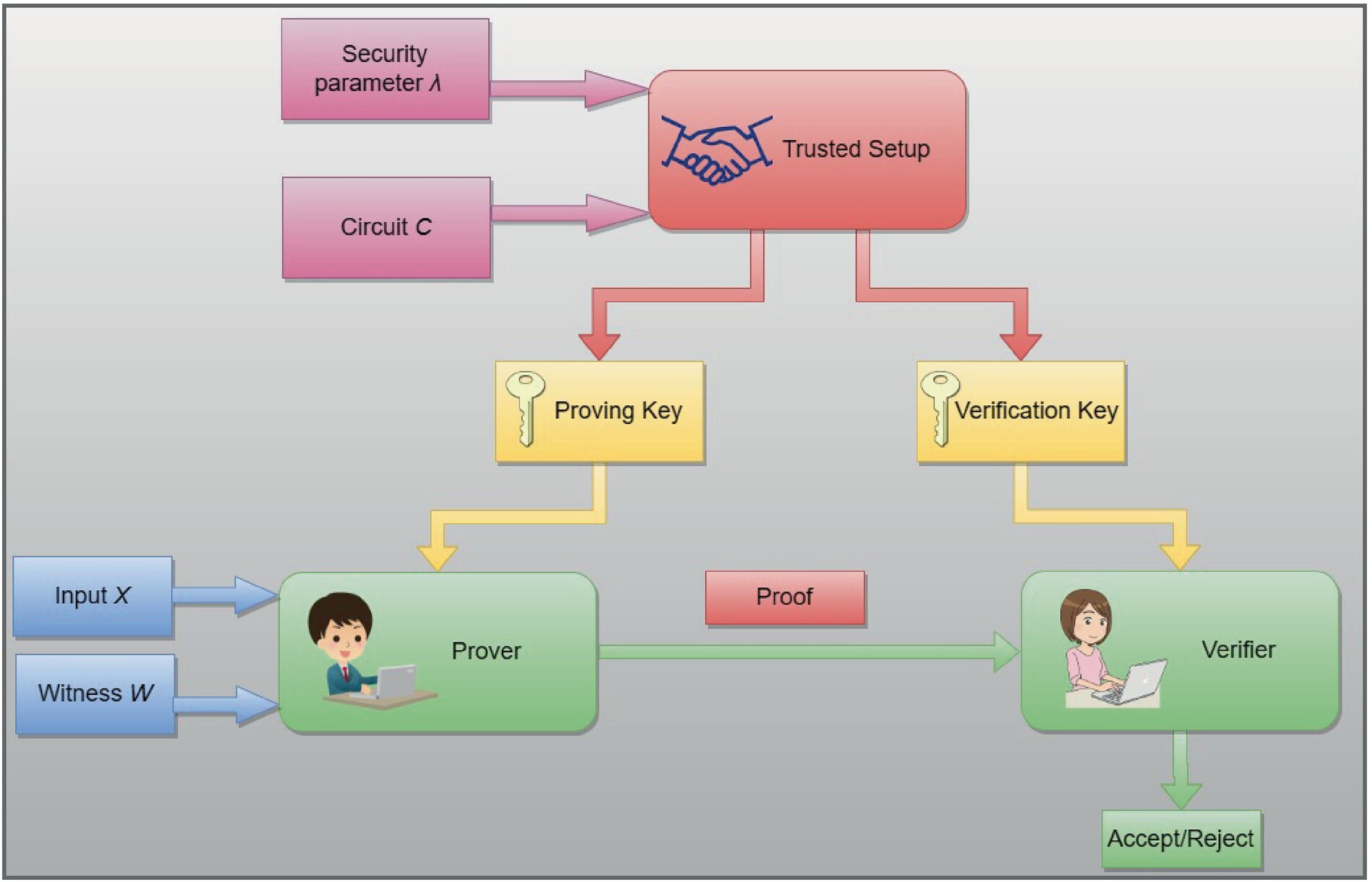
The worker executes the required task on their own device. This could be running code, processing data, or completing a form. The output is generated privately, ensuring that no raw data leaves the worker's environment during this phase.
Using specialized software, the worker creates a zero-knowledge proof. This mathematical artifact confirms that the task was completed correctly without revealing the underlying data. The proof acts as a digital seal of authenticity for the work performed.
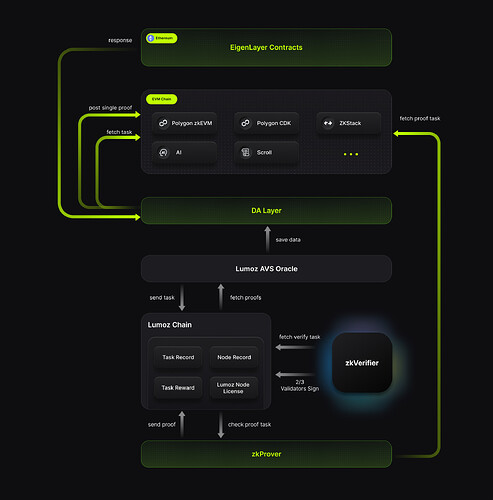
The client or network receives only the proof. They run a quick verification algorithm to check its validity. If the proof is valid, the task is marked as complete. This happens instantly, providing immediate feedback without compromising privacy.
This mechanism shifts the focus from monitoring behavior to verifying outcomes. By using ZK verified tasks, organizations can build trust through cryptography rather than surveillance. The prover retains control over their data, while the verifier gains confidence in the results. This balance is essential for scalable, privacy-first remote work.
For a deeper technical understanding of zero-knowledge proofs, see the overview on ethereum.org. This resource explains the foundational concepts behind proving statements without revealing them.
Top platforms for ZK verified tasks
Remote work often breaks down because managers can’t verify output without surveilling the process. Zero-knowledge proofs solve this by letting workers prove they completed a task correctly without exposing the underlying data. You need a platform that handles the heavy cryptographic lifting so you can focus on the work itself.
Choosing the right infrastructure depends on whether you prioritize raw speed, strict privacy, or ecosystem support. The table below compares the leading options for ZK verified tasks based on current performance metrics and capabilities.
| Platform | Verification Speed | Privacy Level | Task Types | Ecosystem Maturity |
|---|---|---|---|---|
| zkVerify | Rapid | High | General-purpose ZKPs | Incentivized Testnet |
| ZKProof Ecosystem | Standard | Maximum | Audit & Compliance | Established Working Group |
| Polygon ID | Fast | High | Identity & Credentials | Mainnet Live |
| Aztec Connect | Variable | Maximum | Private Transactions | Testnet/Devnet |
zkVerify
zkVerify focuses on rapid and inexpensive proof verification for any type of zero-knowledge proof. It is designed to let dApp developers implement the latest zk proving systems without getting bogged down in infrastructure complexity. Currently in an incentivized testnet, it is ideal for teams building general-purpose verification layers.
ZKProof Ecosystem
The ZKProof working group formally establishes the validity of zero-knowledge proofs by ensuring cryptographic correctness. This ecosystem is less about a single platform and more about rigorous standards. It is the best choice for audits and compliance-heavy tasks where mathematical proof integrity is non-negotiable.
Choosing Your Path
If you are building a new dApp, zkVerify offers the most flexible current testing ground. For strict compliance needs, rely on ZKProof standards. If your ZK verified tasks involve user identity, consider Polygon ID. Always verify the current testnet status before committing resources, as these platforms evolve quickly.
Setting up your first ZK task
Remote work often relies on invasive surveillance tools that strip away privacy, or opaque platforms that leave workers unsure if they are being paid fairly. Zero-knowledge (ZK) verified tasks solve this by letting you prove you completed work without revealing the work itself or your personal identity. This shift moves trust from the employer’s surveillance to mathematical proof, giving you control over what data leaves your device.
Getting started with ZK verified tasks requires a few standard Web3 tools, but the actual workflow is straightforward. You will need a compatible cryptocurrency wallet, a small amount of native gas tokens for transaction fees, and a stable internet connection. Most platforms also require you to link a social account or ENS domain to prevent sybil attacks, but this link remains private until you choose to reveal it.
1. Connect your wallet
Begin by navigating to the task platform’s dashboard and clicking the "Connect Wallet" button. Most modern ZK task interfaces support MetaMask, Rabby, or WalletConnect. Ensure you are on the correct network (usually the zkVerify testnet or mainnet) before signing the connection request. This step authenticates your identity on the blockchain without exposing your email or real name.
2. Select an incentivized task
Browse the available tasks, which range from data validation and content moderation to code auditing. Each listing shows the required proof type, the reward amount, and the estimated time to complete. Click on a task to view the specific instructions. Look for tasks labeled "incentivized" if you are participating in testnet programs for potential token airdrops, as these often have higher rewards but stricter verification requirements.
3. Run the local proof generator
Once you have completed the work—such as labeling an image or verifying a transaction—return to the platform. Click the "Generate Proof" button. This triggers a local script or browser extension that creates a zero-knowledge proof on your machine. This step is critical: the proof is generated locally, meaning your raw data never leaves your computer. You are only submitting the cryptographic evidence that the work was done correctly.
4. Submit your proof
After the proof is generated, the platform will prompt you to sign a transaction. Review the gas fees and confirm the submission. Once the transaction is confirmed on the blockchain, the platform verifies the proof instantly. If valid, your reward is credited to your wallet, and the task is marked as complete. You can repeat this process for other tasks, building a privacy-preserving work history.
Navigate to the platform dashboard and click "Connect Wallet." Ensure you are on the correct network (e.g., zkVerify testnet) and sign the authentication request. This links your blockchain identity without exposing personal data.
Browse the task queue for incentives. Review the proof type and reward structure. Select a task that matches your skills and click to view detailed instructions. Ensure you understand the verification criteria before starting.
Complete the work locally (e.g., labeling data). Click "Generate Proof" to run the ZK circuit. This creates a cryptographic proof on your device, ensuring raw data never leaves your machine. Wait for the process to finish.
Sign the transaction to submit the proof to the blockchain. The network verifies the proof instantly. Once confirmed, your reward is credited to your wallet, and the task is marked complete. Check your dashboard for confirmation.
This process establishes a foundation for privacy-preserving remote work. By focusing on ZK verified tasks, you can participate in the digital economy without sacrificing your personal data. As the ecosystem matures, expect more complex tasks and higher rewards for verified contributors.
Common pitfalls in ZK task verification
Remote work relies on trust, but ZK verified tasks introduce new friction points that can break the workflow. The most frequent issues stem from proof generation failures, unexpected gas costs, or compatibility errors with existing wallet infrastructure. Addressing these symptoms early prevents delays and ensures your privacy-preserving contributions are accepted.
Proof generation failures
Proof generation is the most sensitive step. If your local environment lacks the necessary cryptographic libraries or if the input data format doesn't match the verifier's schema, the proof will fail silently or throw a generic error. Always verify your inputs against the official zkVerify documentation before submission. A small mismatch in data structure can invalidate the entire proof, requiring a complete regeneration.
Gas costs and transaction limits
While ZK proofs are efficient, submitting them on-chain still incurs gas fees. Users often underestimate the cost of verification transactions during network congestion. Ensure your wallet has sufficient native tokens for gas, and consider batching tasks if the protocol supports it. High gas fees can make small tasks economically unviable, so monitor network conditions before initiating submissions.
Compatibility errors
Not all wallets or dApps support the latest ZK proof standards. If you encounter a "signature mismatch" or "unsupported proof type" error, your wallet may be outdated or incompatible with the current zkVerify version. Check your wallet's version and ensure it supports the required elliptic curve operations. Updating your wallet or switching to a compatible interface often resolves these connectivity issues instantly.
Frequently asked questions about ZK tasks
Quick checklist
-
Match the sizeMake sure the ZK verified tasks option fits your household, storage space, and normal batch size.
-
Check the materialChoose a material that handles heat, washing, and regular use without becoming a chore.
-
Plan the cleanupAvoid anything that needs more maintenance than you are likely to give it.
-
Keep one fallbackHave a simple backup option for rushed days.
No comments yet. Be the first to share your thoughts!